
You found a supplier. You ordered samples. You created a listing. You started selling. Three months later, you check your bank account and realize something terrifying: you have less money than when you started.
This scenario is common. Many sellers assume that if they buy a product for $5 and sell it for $20, they make $15. They are wrong.
Between the factory floor and your pocket, Amazon takes a cut. Shipping companies take a cut. Ad networks take a cut. If you do not plan for these expenses before you launch, you will lose money on every unit sold.
Amazon expense forecasting for sellers is the only way to protect your investment. It is not just about guessing numbers; it is about knowing exactly how much you can spend on ads, inventory, and fees while still making a profit.
This guide will show you how to predict your costs accurately, avoid the hidden traps that bankrupt new sellers, and use the right tools to build a profitable business from day one.
Why You Must Forecast Amazon Expenses Accurately
New sellers often focus on revenue. They want to see big sales numbers. Experienced sellers focus on margin. They want to know what they get to keep.
If you skip accurate forecasting, you face three major risks:
- Cash Flow Gaps: You might sell out of stock but lack the cash to reorder because Amazon is holding your funds in a "reserve."
- Unplanned Fees: You might not realize that your packaging is 0.5 inches too large, pushing you into a higher FBA fee tier that eats your profit.
- Ad Spend Drain: You might spend $10 to acquire a customer for a product that only has $8 of margin.
A proper forecast acts as a map. It tells you exactly how much cash you need to survive the launch phase and when you can expect to see real profit.
Review: The Best Tool for Amazon Expense Planning
Spreadsheets work for simple math, but Amazon fees are not simple. They change based on weight, dimensions, category, and time of year.
To get accurate numbers, we use the 10xProfit Budget Planner.
This tool is designed specifically for Amazon sellers who need to see the future of their finances. Unlike a static Excel sheet, it uses real-time data from 18+ marketplaces to give you a precise breakdown of your launch costs.
Key Features
- Marketplace Data: It pulls current fee structures for Amazon US, UK, DE, and more.
- Category Logic: It knows that selling "Electronics" carries different risks and fees than selling "Books."
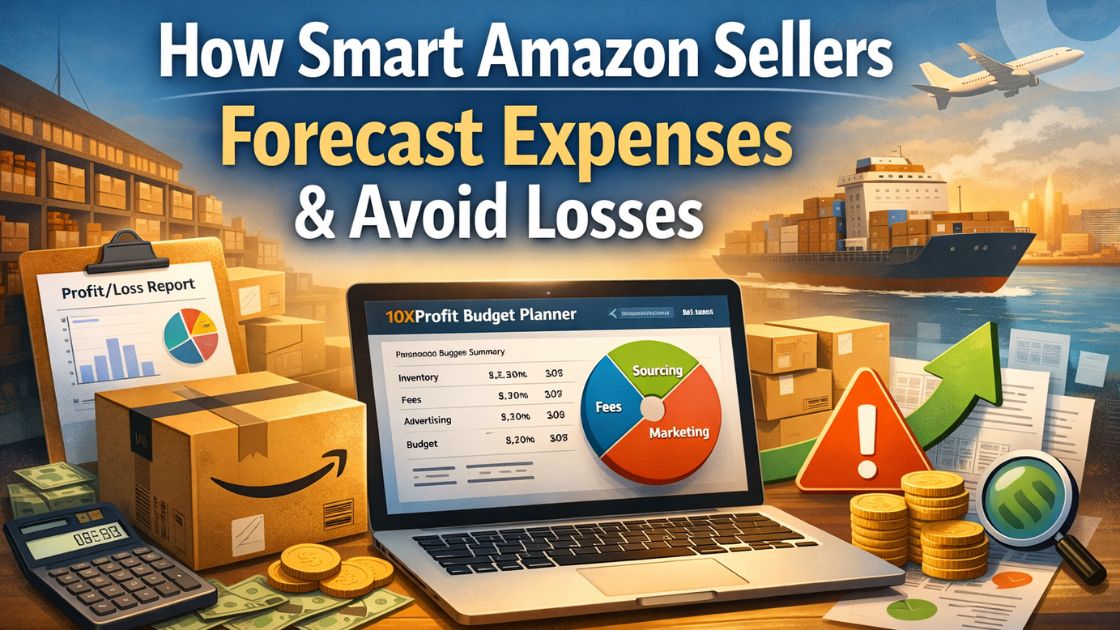
- Visual Allocations: It splits your budget into clear buckets (Sourcing, Fees, Marketing) so you never overspend in one area.
- Stock Recommendations: It calculates exactly how many units you can afford to buy without killing your marketing budget.
Accuracy and Ease of Use
The interface is straightforward. You do not need to be an accountant. You enter your total capital, choose your niche, and the tool does the rest. It removes the "guesswork" from the equation. If the tool says you need $1,600 for fees, you can trust that number is based on actual Amazon rate cards.
Step-by-Step Guide to Forecasting Your Launch Costs
Let’s walk through how to use the 10xProfit Budget Planner to create a safe, reliable financial plan. We will use a realistic example: launching a product with $8,000 in capital.
Step 1: Define Your Starting Capital
Be honest about how much cash you have. Do not count money you need for rent or bills. Enter your dedicated business capital into the "Total Budget" field. For this example, we input $8,000.
Step 2: Choose Your Market and Model
Select "Amazon.com" (or your target country) and "FBA" (Fulfillment by Amazon).
- Note: If you choose FBM (Fulfillment by Merchant), your shipping costs will shift from "Amazon Fees" to "Operational Costs." The tool adjusts for this automatically.
Step 3: Analyze the Budget Split
The tool will generate a breakdown. For an $8,000 launch in the Electronics category, it typically looks like this:
- Product Sourcing ($3,200): This is the maximum you can spend on inventory.
- Amazon Fees ($1,600): This covers the platform's cut.
- Marketing ($1,200): This is your ad budget.
- Operational Costs ($1,200): Shipping, packaging, and software.
- Buffer ($800): Your emergency fund.
Step 4: Set Your Unit Count
The planner will suggest a safe stock quantity, such as 100 units.
- Why this matters: If you ignore this and buy 500 units, you will spend your "Marketing" money on "Sourcing." You will have a warehouse full of products and zero dollars to advertise them. Stick to the tool's suggestion.
Step 5: Determine Your Price
Based on your costs, the tool will suggest a price range to ensure profitability.
- Example: If your unit cost is $32, the tool might suggest a minimum price of $112.
- This ensures that after you pay the $32 for the item, the fees, and the ads, you still keep profit. If you price lower than the recommendation, you must find a way to lower your costs.
Practical Tips for Reducing Your FBA Costs
Once you have your forecast, your goal is to beat it. Here is how to lower your expenses and keep more profit.
Optimize Your Packaging
Amazon FBA fees are based on size and weight. If you can shave one inch off your box or reduce the weight by two ounces, you might drop into a lower fee tier. This can save you $1-$2 per unit. Over 1,000 units, that is massive.
Negotiate with Suppliers
The "Product Sourcing" budget is a limit, not a target. If the tool says you can spend $32 per unit, try to get it for $28. Use the extra margin to increase your ad spend or build a bigger safety buffer.
Watch Your "Burn Rate"
When you launch, track your ad spend daily. If you allocated $1,200 for marketing over 30 days, that is $40/day. If you spend $100/day without seeing sales, pause and adjust. Do not burn your budget hoping things will magically improve.
Comparison: Manual Spreadsheets vs. 10xProfit
Is it worth using a specialized tool? Let's compare the options.
| Feature | Manual Spreadsheet | 10xProfit Budget Planner |
| Setup Time | Hours of data entry | Instant (seconds) |
| Fee Accuracy | Often outdated or wrong | Real-time Amazon data |
| Calculations | Prone to broken formulas | Automated logic |
| Visuals | Hard-to-read grids | Clear charts and graphs |
| Market Coverage | Usually single market | 18+ Global Marketplaces |
| Scenario Testing | Difficult to adjust | Easy to run "what-if" tests |
Common Forecasting Mistakes to Avoid
Even with good tools, human error can mess up a plan. Watch out for these traps.
1. Overestimating Sales Volume
New sellers often think, "If I sell 10 units a day..."
Reality: You might sell zero units a day for the first week.
Fix: Plan for a slow start. Ensure your budget can cover monthly storage fees even if sales are slow initially.
2. Ignoring Seasonality
Storage fees on Amazon triple during Q4 (October - December).
Reality: If you launch in November with a budget calculated on June rates, you will run out of cash.
Fix: Always check the current storage rates for the month you plan to launch.
3. Forgetting Return Costs
In categories like Fashion, returns are high.
Reality: A returned item costs you the sale price AND the FBA fees.
Fix: Build a "return rate" into your pricing. If you expect a 10% return rate, increase your price by 10% to cover it.
4. Underfunding Marketing
Reality: Organic rank takes time. You need ads to get started.
Fix: Never touch your marketing budget to buy more inventory. That money is sacred. It is the fuel for your engine.
Frequently Asked Questions About Amazon Expenses
1. How much money do I really need to start?
For a safe private label launch, aim for $2,500 to $5,000. Less is possible, but risky.
2. What is the biggest hidden cost?
PPC (advertising) is often the largest expense new sellers underestimate.
3. Does the budget planner work for wholesale?
Yes. You can adjust the settings to match wholesale margins and fulfillment methods.
4. How accurate are the fee estimates?
10xProfit uses live data, so they are very accurate. However, always double-check the exact weight of your final packaged product.
5. What is a "healthy" profit margin?
Aim for 25-30% net margin after all fees and ads. Anything below 15% is dangerous.
6. Can I use FBM to save money?
FBM saves on FBA fees, but you pay for your own shipping. It is often more work for similar margins.
7. When should I pay for professional photos?
immediately. Good photos increase your conversion rate, which lowers your ad costs. It is an investment, not an expense.
8. What happens if I go over budget?
You might have to pause ads or delay restocking. This hurts your ranking. Stick to the plan.
9. Do I need a professional Amazon account?
Yes, if you sell more than 40 units/month. The $39.99 fee is worth it for the data access alone.
10. How often should I update my forecast?
Every time you place a new order with your supplier or Amazon changes their fee structure.
Start Your Expense Forecast Today
Business is not about hope; it is about data. The difference between a failed launch and a profitable brand is often just a better plan.
Don't let hidden fees surprise you. Take control of your numbers before you spend a single dollar. Use the 10xProfit Budget Planner to see your costs clearly, allocate your funds wisely, and launch with confidence.
See your real profit numbers now.
[Start Free Trial]